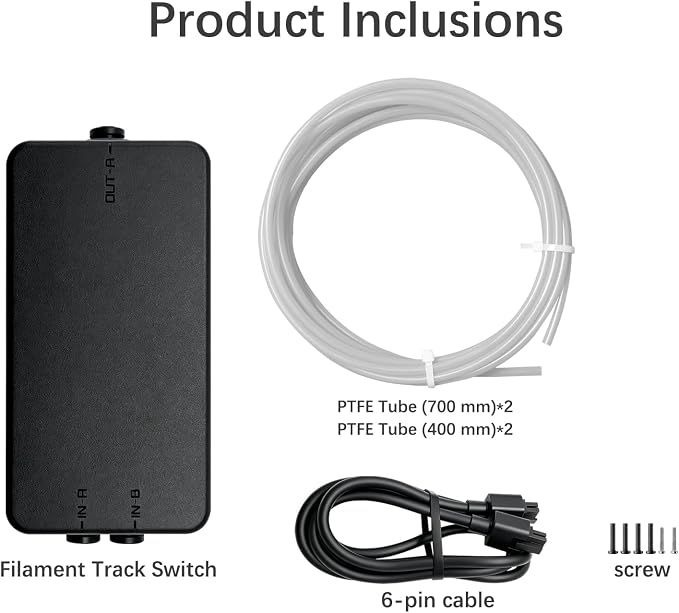
Shipping takes place within 3-5 business days. If there is a problem with the shipment of the product, we will notify you via the email address you entered when ordering.
1
/
of
7
Bella Bloom
Original Bamboo X2D H2C Filament Track Switch-Eliminate Manual Swapping,Automatic Filament Switcher for Bambu Lab X2D H2C, Dynamic Filament Mapping for Dual Extruder, Multi-Color Filament Switcher,
Original Bamboo X2D H2C Filament Track Switch-Eliminate Manual Swapping,Automatic Filament Switcher for Bambu Lab X2D H2C, Dynamic Filament Mapping for Dual Extruder, Multi-Color Filament Switcher,
Regular price
$129.58 USD
Regular price
$129.58 USD
Sale price
Unit price
/
per
Shipping calculated at checkout.
Couldn't load pickup availability
About This
- 【Automated Filament Routing – No More Manual Swapping】The Bambu Lab Filament Track Switch automatically directs any filament from your AMS to the assigned nozzle on X2D, X2D Combo, and H2C. It acts as a reliable automatic filament switcher for dual nozzle printers, saving time and reducing user intervention
- 【Dynamic Mapping for Peak Efficiency – Automatic Filament Switcher】Unbinds AMS from specific nozzles, allowing any filament to feed into any nozzle, hotend, extruder, and print head. Supports mid-print color reassignments, boosting multi-color efficiency. This dynamic filament mapping for dual extruder 3D printer feature makes it a true multi-color 3D printer filament switcher. (Note: Not compatible with external spool.)
- 【Massive AMS Expansion – Works with Your Build Plate & Accessories】When installed on X2D or H2C, the printer supports up to 4 AMS 2 Pro + 8 AMS HT units (24 slots). The Bambu Lab Filament Track Switch does not reduce expansion limits and works seamlessly with your existing build plate and other Bambu Lab accessories
- 【Important Usage Restrictions for X2D & H2C Users】Avoid using 4-in-1 adapter with only 2 AMS units. Sensitive filaments (PLA-CF, PLA Glow, PLA Silk) may fail — try moving to another AMS slot. External spool not supported; remove the switch to use external spool
- 【Current Calibration Limitation (Firmware Update Pending)】After installing the switch on Bambu Lab X2D or H2C, high-precision nozzle offset calibration cannot be performed. To run calibration, remove the switch and restore the original setup. A future firmware update will resolve this
Overview
- Brand : KEGUCU
- Manufacturer : Kegucu Tech
- Number of Items : 200
Share